
News - Star Wars Outlaws : Fünfter und letzter Patch jetzt verfügbar
- PC
- PS5
- XSX
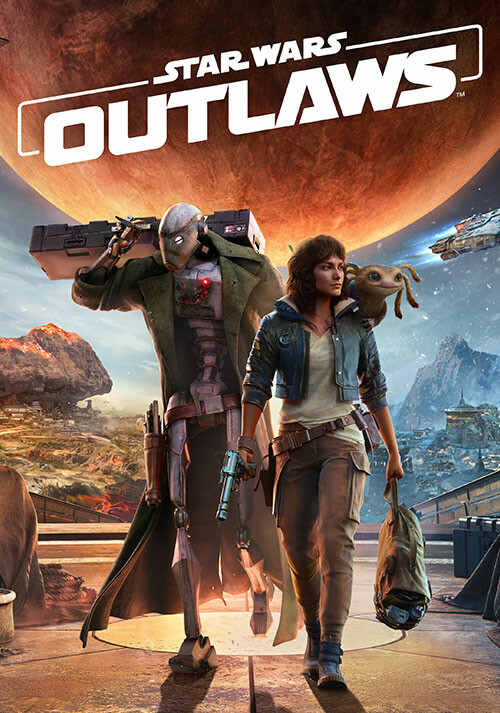
Kurz nach dem Title Update im November hat Ubisoft nun nochmals einen Patch für Star Wars Outlaws veröffentlicht. Dies soll nun das letzte Update im Rahmen der Überarbeitungen sein.

Ubisoft musste einiges an Kritik einstecken nach dem Release von Star Wars Outlaws, obwohl es grundsätzlich kein schlechtes Spiel war. Doch einige Designentscheidungen kamen bei den Fans nicht so wirklich gut an. Daraufhin machten sich die Entwickler daran, einige Aspekte des Spiels zu überarbeiten.
Erst im November erschien ein umfangreicher Patch, der das Kampfsystem überarbeitet hat, parallel zum Release des ersten Story-DLC. Heute hat Ubisoft nun Title Update 1.5.0 veröffentlicht, den mittlerweile fünften und letzten Patch für das Open-World-Abenteuer. Mit dabei sind vor allem Performance-Optimierungen, Verbesserungen für DLSS und Frame Generation, aber auch Überarbeitungen des NPC-Verhaltens bei Deckung und Granaten.
Einige noch bekannte Probleme im Zusammenhang mit PS5 Pro und Streaming-Diensten wie Luna oder GeForce NOW sind noch in Arbeit und sollen in Kürze gefixt werden. Hier die Patchnotes von Update 1.5.0 zu Star Wars Outlaws im Detail:
PATCH DETAILS (version 7497632.TU5):
-
PlayStation®5: 6.76GB (version 01.005.000)
-
Xbox Series X|S: 7.10GB (version 1.0.5.0)
-
PC (Ubisoft Connect): 6.32GB (version 1.0.5.0)
-
Steam: 7.5GB (version 1.0.5.0)
FULL PATCH NOTES:
General Gameplay
-
Balanced damage done to ionized enemies
-
Fixed an issue with NPC collision area in syndicate districts that prevented shooting in some situations
-
Smoothed NPC transitions for going in/out cover
-
Fixed an issue where capital ships would not spawn in space
-
Improved enemy AI when detecting grenades and when Kay is hidden in smoke
-
Fixed an issue where enemies would take cover behind hollow fences
-
Fixed an issue where fast travelling on Akiva to the Abandoned Hideout could cause an infinite loading screen
-
Fixed an issue where the Wanted status would not decrease in certain areas
-
Fixed an issue where some NPCs would get stuck in combat areas in an Imperial compound on Toshara
-
Fixed an issue where VFX would impact the entire screen when shooting outdoors from an indoors location
Performance
-
Fixed an issue that caused performance drops when aiming the camera straight down with RTDXI enabled
Graphics
-
Fixed an issue with flickering lights at the bottom of the screen on consoles
UI, HUD and Settings
-
Updated options for Frame Generation and DLSS
-
Improved detection when ‘in-combat’ state
-
Fixed an issue where item descriptions would not show in the loadout menu
-
Fixed an issue where intention icons no longer appeared above NPCs
Audio
-
Fixed combat music not playing in syndicate territories in cities
-
Lowered Nix’s footsteps volume
-
Fixed missing contract VO's
-
Improved music playback in The High Roller quest
-
Improved Flyer creature foley playback
-
Improved VO loudness issues on localized versions of the game
Cinematics
-
Improved quality of ‘The Deal’ cinematic in Wild Card
-
Fixed an issue where characters could get stuck in a T-pose during the sabacc tournament in Wild Card
Camera
-
Fixed an issue where Kay's head would face a different direction than the camera
Worlds, Fauna and Flora
-
Improved the takeoff animation of the aglis flyer on Toshara
-
Added additional flee animation and audio to scurriers on Tatooine
-
Fixed an issue with terrain blending on Tatooine
Photo Mode
-
Enabled option to toggle cinematic lens effect
-
Fixed an issue where Nix could be seen clipping through Kay’s chair if photo mode is activated when planting a card during sabacc in Wild Card
Accessibility
-
Fixed an issue where in-game objects would not change color when switching between colorblind presets
-
Fixed an issue where simple numerals in sabacc would not show correctly
-
Fixed an issue where swapping a button for ‘On Foot’ would also change it for the Speeder and Trailblazer
-
Fixed an issue where you could get stuck in the Custom Control screen when using a mouse and keyboard
-
Fixed an issue where the gadgets wheel could not be opened after switching the input to toggle
-
Fixes for various high contrast mode bugs and inconsistencies
-
Narration on the map screen now reads distance to points of interest
Sabacc:
-
Fixed an issue when leaving a sabacc game if an enemy is playing the ‘Embargo’ or ‘Direct Transaction’ could prevent continued play at the table
-
Fixed an issue where Kay’s left hand would suddenly disappear whilst ‘auto-success’ was enabled when using the magnetic dice
-
Fixed an issue where suspicion states were not registering correctly when caught cheating
-
Fixed an issue where SFX would play/trigger at incorrect moments
Miscellaneous
-
Fixed an issue where some NPC clothing was clipping
-
Fixed an issue with random floating objects
-
Fixed an issue where defeating enemies using the ‘Blast’ or ‘Pulse’ Power module would not count towards the Power Surge Ubisoft Connect Time-Limited Challenge
PS5 Pro
-
In addition to the ‘Quality (60FPS)’ mode, the three base PS5 options of ‘Quality’, ‘Performance’ and ‘Balanced’ are now selectable graphics options
-
An ‘Upscaler Type’ toggle has been added allowing you to use either PSSR or FSR
MAIN & SIDE QUESTS (beware of spoilers)
Canto Bight
Beginnings
-
Fixed an issue where Kay would be unable to speak to vendors or Preeban after winning a fixed Fathier race
Toshara
Codebreaker
-
Fixed an issue where a player could get stuck behind an energy barrier after reloading a save
Tosharan Treasure Intel
-
Fixed an issue where the intel chain does not start after reading the IWM datapad
The Wreck
-
Fixed an issue where Kay could get stuck navigating a narrow passage
Contracts
-
Fixed an issue where a slicing terminal will already show as unlocked if completing a contract for a second time
Tatooine
The Hotfixer
-
Fixed an issue where Kay could get stuck by using the speeder boost to jump into the Sarlacc pit
Akiva
Viper
-
Fixed an issue where the viper droid could not be damaged once it reached half health
Contracts
-
Fixed an issue where a ‘Spy on Pyke District’ would fail on completion
The Veteran
-
Fixed an issue where players were able to access the quest area prematurely
The High Roller
-
Fixed an issue where Kay was not able to talk to Lando’s associates after the shootout
Kijimi
Passenger
-
Fixed an issue where the quest fails when the pirate ship hyperjumps and the mission cannot be complete after a reload
The High Roller
-
Fixed an issue where Kay is not able to interact with Avrar to get Lando’s token
Wild Card – Story Pack
Wild Card
-
Fixed an issue where the mission would not complete if the player is at the maximum Wanted Level
-
Fixed an issue where collecting the intel on the shuttle would not register and progress the quest
-
Fixed an issue where the quest marker does not appear above the shuttle when pressing up on the D-pad
The Game
-
Fixed an issue where the mission wasn’t automatically tracked in the journal once completing the prior quest
-
Fixed an issue where a platform was incorrectly placed when escaping from the Morenia
-
Fixed an issue where a player could get stuck in a dying loop sequence at the end of the quest
Double Down
-
Fixed an issue where the quest item could disappear if not picked up at the Western Camp before defeating enemies at the Southern Camp
All In
Fixed an issue where actions would not be registered when resuming the game from a pause during a cutscene
Der Story-DLC "Wild Card" ist ab sofort für Star Wars Outlaws zu haben.

Kommentarezum Artikel